Translation and tafsir under each ayah
A translation lets everyone who watches your video understand the ayahs they hear. In Tarteel Video you can show a translation or a short tafsir beneath every ayah, in many languages, and the app itself speaks your language too.
Tutorials · · 3 min read
Adding a translation to a video
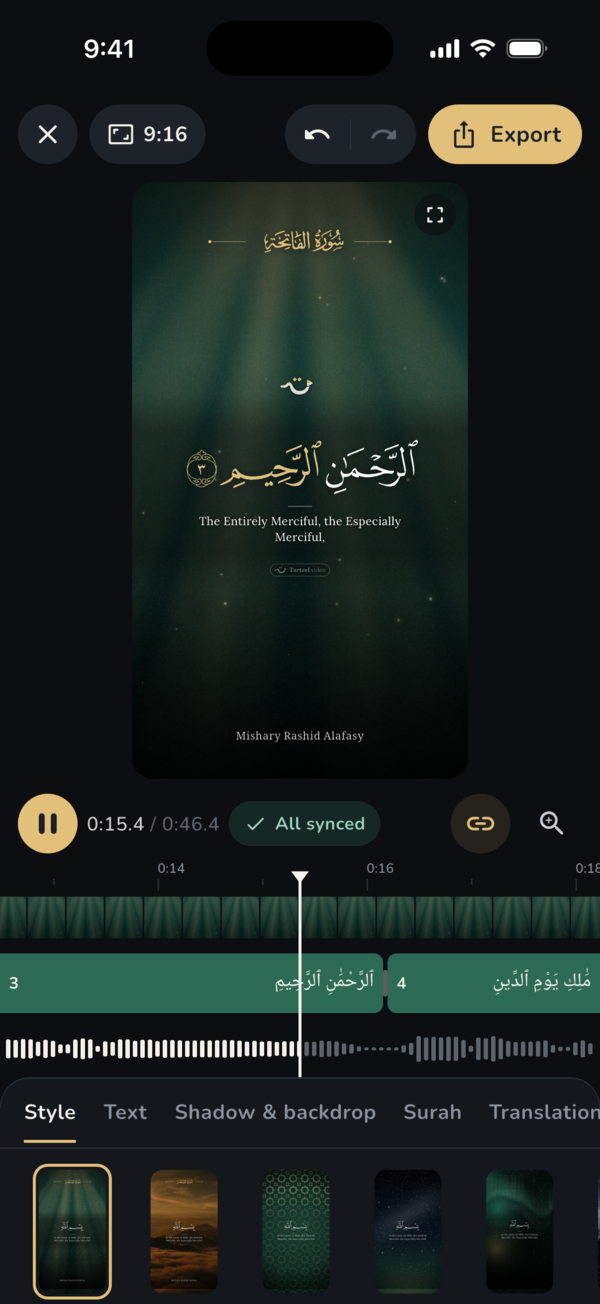
Open your project in the editor and tap the Translation tab. Tap Add translation to open the list, then tap the one you want. It is added beneath every ayah, timed with the Arabic, and it shows in the preview right away.
Each translation shows as a chip in the tab. To take it off, tap the small cross on its chip. When nothing is added, the tab says No translation shown.
Finding the right translation
The list starts with Suggested, which leads with your own language. In a Kurdish or Arabic app, and in Iraq, Kurdish and Arabic come first. Use Search language or name to find a language or a translator quickly. Tafsir entries are labelled Tafsir, so you can tell them from translations.
For Kurdish, Burhan Muhammad-Amin's translation is offered first. For Arabic, where the ayah itself is already Arabic, the short Tafsir al-Muyassar is a good choice to explain the meaning beneath it. Saheeh International is listed for English.
Downloads and offline use
Translations and tafsir are not built into the app. Each one downloads once when you add it, at about 1 MB, and then works offline. If you are offline, the list shows the translations already on your phone.
To see or delete the translations you have, open Settings, tap Downloads and look under Translations & tafsir. You can download any of them again later.
Making the translation easy to read
Once a translation is added, the Text tab gains two settings for it. Translation size makes it larger or smaller next to the Arabic. Translation lines sets whether it is centred or aligned to the edge.
On a busy background, open the Shadow & backdrop tab and add a soft shadow or a band behind the text. The Arabic and the translation then stay clear on any background.
A default translation for new videos
If you add the same translation every time, open Settings and, under New videos, tap Translations. Tick the ones you want, and every new video starts with them. Turn them all off and new videos start without a translation. You can still change it for any single video in the editor.
Choosing the app language
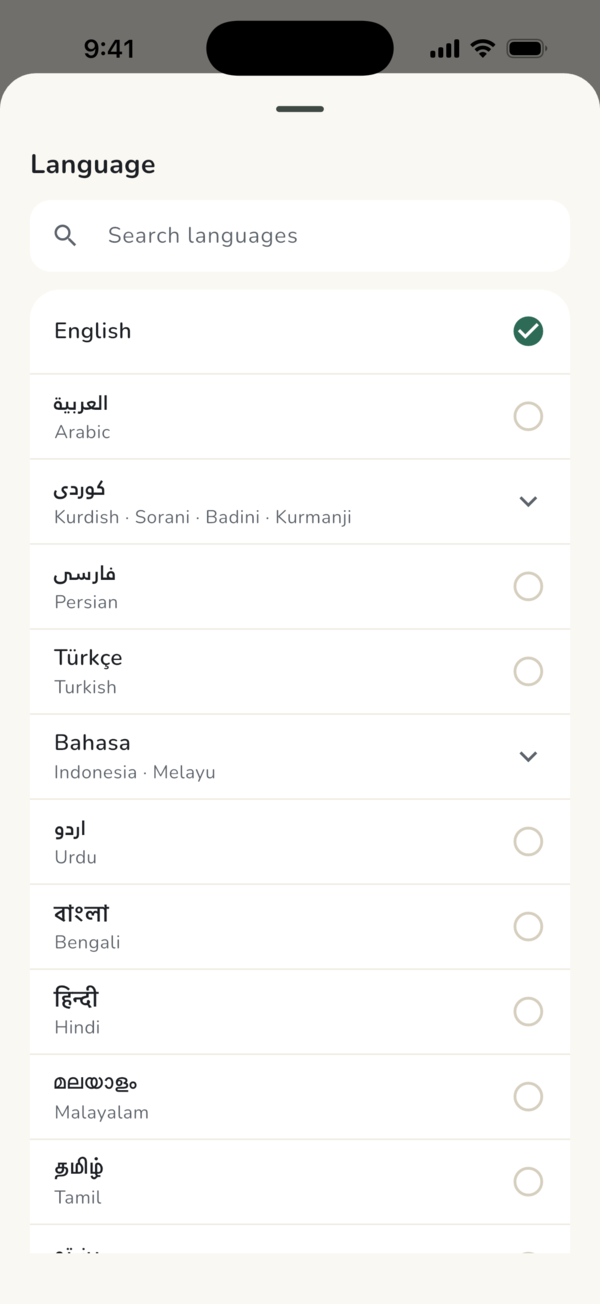
The app's own language is separate from the translation. Open Settings, tap Language and pick one. Tarteel Video is available in English, Arabic and Sorani Kurdish, and in many more languages from the list, including Kurdish Badini and Kurmanji, Persian and Turkish. Arabic and Kurdish are laid out right to left.
Can't find your language? Tap Can't find your language? at the end of the list to ask for it. Whatever language you choose, the Quran text always stays in the Madina Mushaf script.
Frequently asked questions
Can I show a Kurdish translation under the Quran?
Yes. Burhan Muhammad-Amin's Kurdish translation is offered first in the Translation tab.
Can I add a tafsir instead of a translation?
Yes. Tafsir entries are marked Tafsir in the list. The Arabic Tafsir al-Muyassar is offered among the suggestions.
Does changing the app language change the translation?
No. The app language sets the menus. The translation under each ayah is chosen in the Translation tab or in Settings under New videos.
Do translations need internet?
Only the first time. Each one downloads once, at about 1 MB, then works offline.