Getting started with Tarteel Video
Tarteel Video is a free Android app that turns a Quran recitation into a vertical video, with every ayah captioned word by word in the Madina Mushaf script. This tour walks through the whole app, from the home screen to the finished video.
Getting started · · 6 min read
What Tarteel Video does
You bring a recitation, and Tarteel Video does the careful work. It listens to the recitation, finds each ayah, times it, and shows it on screen as it is recited. The words are drawn with the Mushaf fonts of the King Fahd Complex in Madinah, so the text looks exactly like the printed Mushaf.
You then choose a look, add a translation or tafsir if you want one, and export a vertical video that is ready for reels, shorts and status updates. The app is free on Google Play. Versions for the App Store, AppGallery and desktop are coming soon.
The home screen
Everything starts on the home screen. At the top is My recitation, with two buttons: Video, to pick a recitation you filmed, and Studio, where you can add an audio file or record your own voice. Under it you find Your projects, where every video you work on is kept as a draft, so you can close the app and continue later.
Below that are two more ways in. File link lets you paste a link to a recitation, and Famous reciters opens a library of word-timed recitations. Further down, Verses for every moment offers ready subjects such as Patience, Mercy, Friday and Ramadan: pick a subject, then a reciter, and a video is ready in a minute.
Bringing in a recitation
There are three ways to start a video. Tap Video to pick a recitation you filmed. For an audio file, such as a voice note or an MP3, open Studio, tap Add a file, then tap Use in video when you are done. You can also share a video or audio file to Tarteel Video from another app. Tap File link to paste a YouTube link or a link to a video or audio file. Or tap Famous reciters, choose a reciter, a surah and a range of ayahs, then tap Create video.
With your own recitation, the app starts listening right away: Listening to the recitation, Detecting the surah, Timing every ayah. The editor opens in a moment, and you can play and style the video while the ayahs are still being found. Recitations from Famous reciters are already timed word by word, so there is nothing to analyse. Our guide to importing a recitation covers each way in detail.
The editor
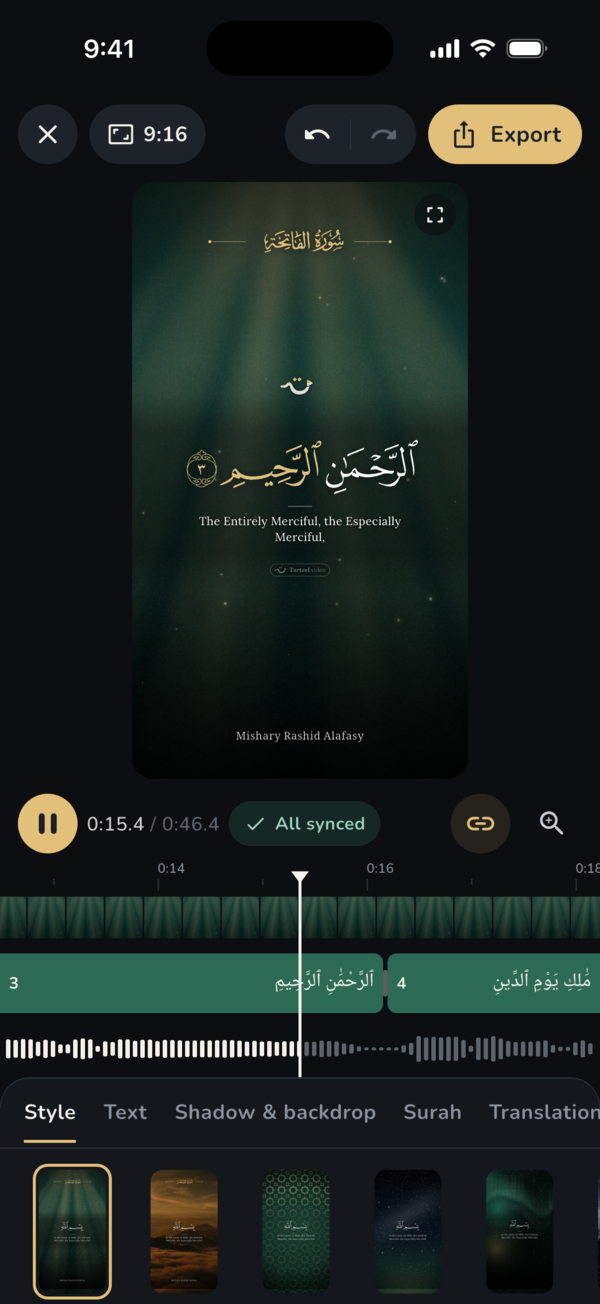
The editor shows a live preview at the top and a timeline under it, with one segment for each ayah. Ayahs the app found hard to hear are marked to review, so you can check them before you export. Under the timeline is a row of tabs, each one a group of settings:
- Style: the look of the whole video.
- Background: your own photo or video behind the text.
- Voice: gentle voice effects and presets for the recitation.
- Text: the Quran font, size, word highlight and animation.
- Translation: a translation or tafsir under each ayah.
- Shadow & backdrop: a shadow, band or box behind the text so it stays easy to read.
- Surah: how the surah title is shown.
- Reciter: the reciter's name, under the title or at the bottom.
- Brand: your social media handles in the video, and the Tarteel Video mark.
Looks and backgrounds
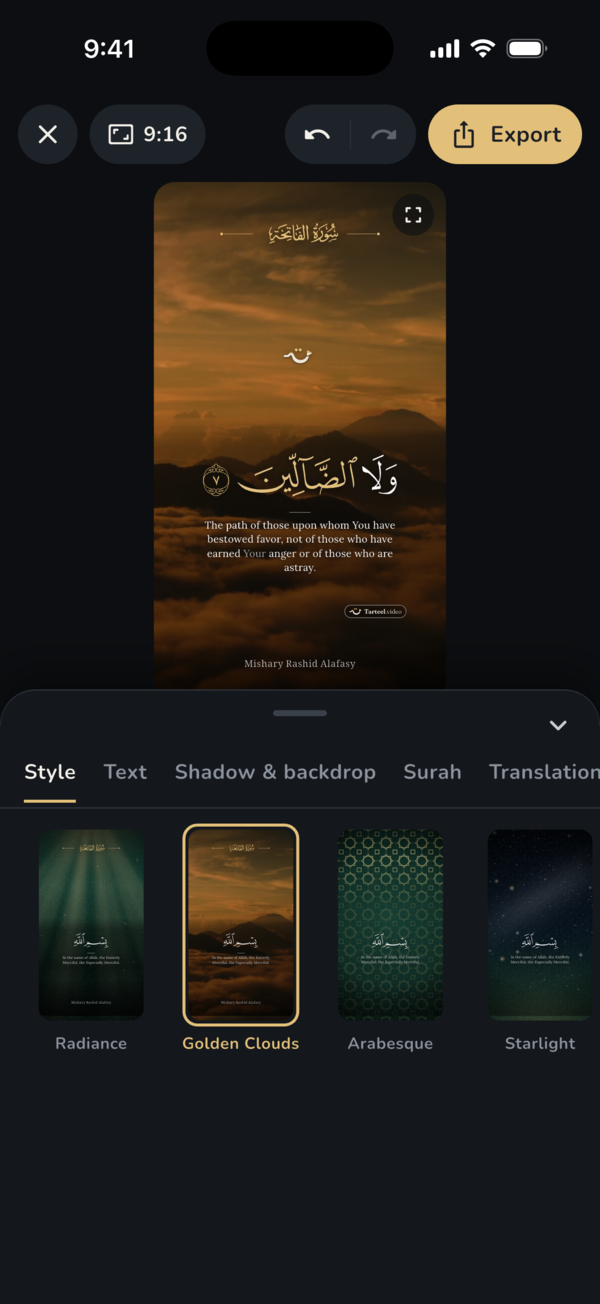
The Style tab holds the looks. Templates such as Night, Studio and Journey are calm starting points, and backgrounds such as Radiance, Golden Clouds, Arabesque and Starlight set the mood. Each one is a single tap away, and you can change any detail afterwards.
If you like a look you have built, tap Styles and save it, so you can use it again on another video or make it the default for new videos.
Quran fonts and word highlight
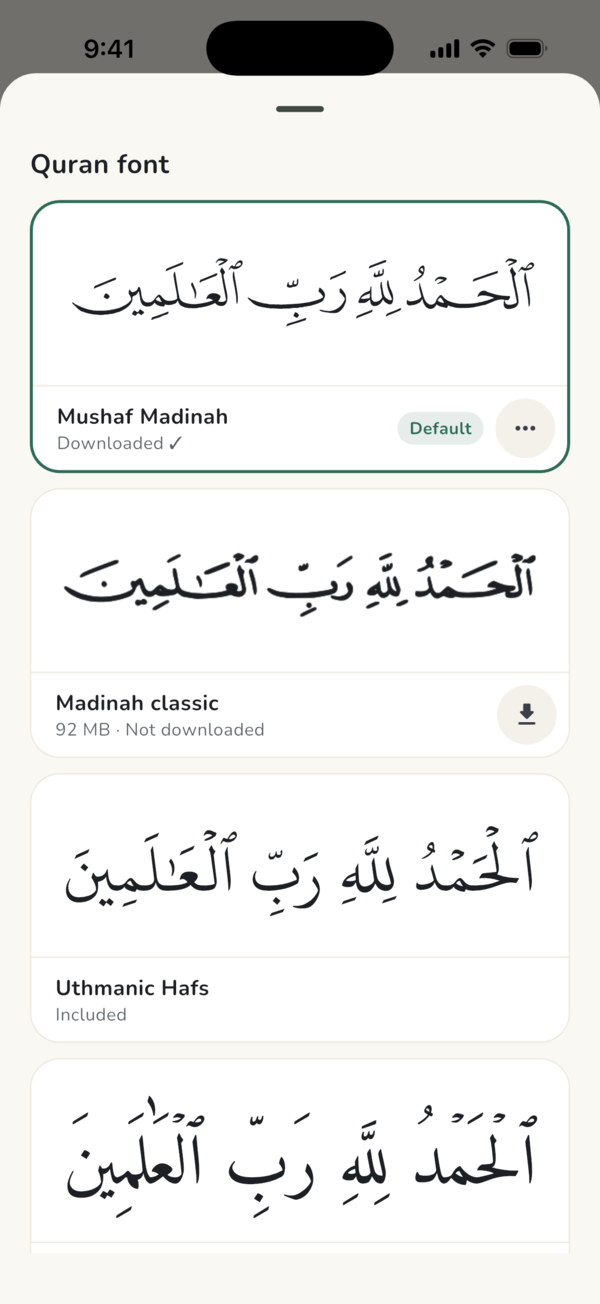
In the Text tab you choose the script. Mushaf Madinah, the current print of the Madina Mushaf, is the default. You can also pick Madinah classic, Uthmanic Hafs, Mushaf Tajweed with colour-coded tajweed, and more. The words themselves are never restyled.
The same tab has Highlight each word: the word being recited turns gold, in time with the reciter. You also choose how ayahs appear, such as fade, rise, zoom or word by word, and at what pace. Long ayahs can show a few words at a time with Short phrases. See our guides to Quran fonts and Tajweed and to word-by-word highlight and animations.
Translation and tafsir
Open the Translation tab and tap Add translation to show a translation or tafsir under each ayah. You can search by language or by translator. Burhan Muhammad-Amin's Kurdish translation and the Arabic Tafsir al-Muyassar are offered first. Each translation downloads once, at about 1 MB, and then works offline.
Exporting your video
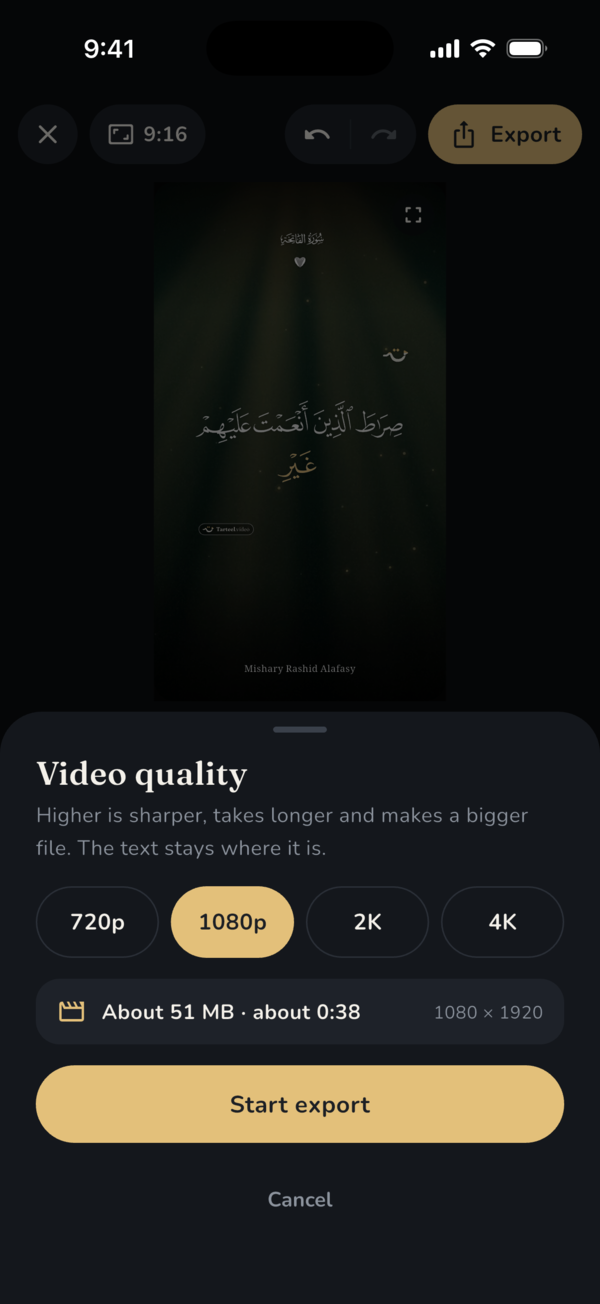
When the video looks right, tap Export. The Video quality sheet offers 720p, 1080p, 2K and 4K, and shows about how large the file will be and how long it will take on your phone. Tap Start export. You can keep editing or leave the app while it renders, and the app tells you when the video is ready.
Then save it to your gallery, share it, or publish it with Botsaz. Before you export, you can also trim the start and the end of the recitation on the timeline. Our guide to export quality and trimming explains which quality to choose.
Settings worth knowing
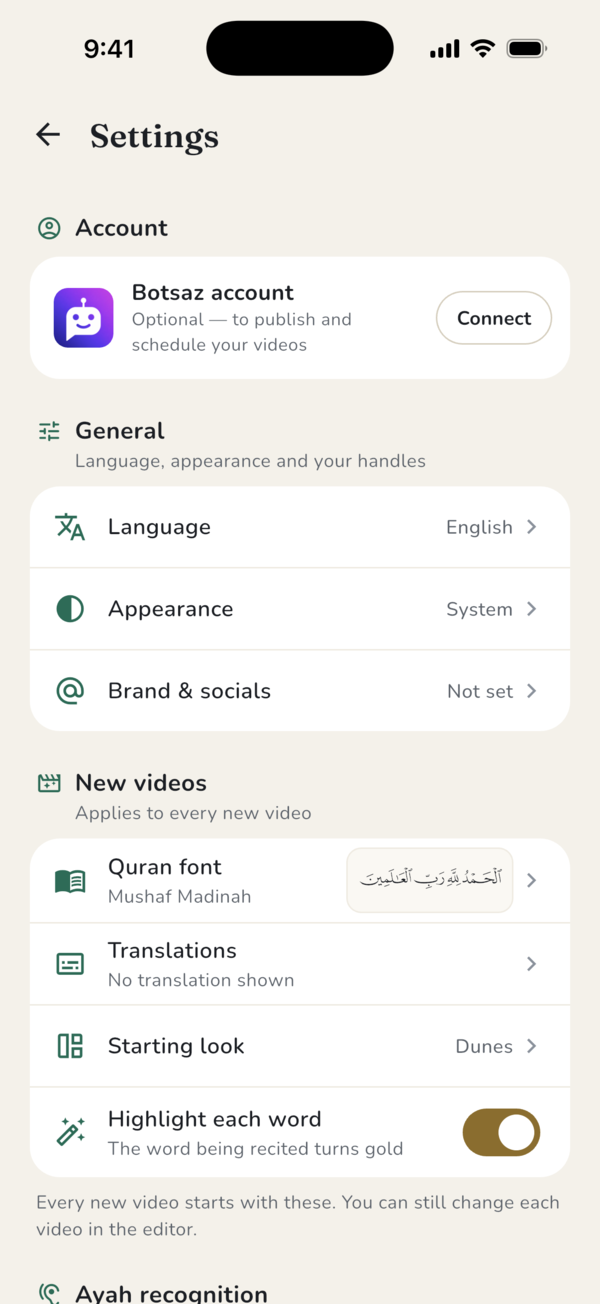
Settings is where you make the app your own. Under General you set the Language of the app, its Appearance (light, dark or system) and Brand & socials, the handles shown on your videos. Under New videos you choose what every new video starts with: Quran font, Translations, Starting look and Highlight each word. At the top you can connect a Botsaz account to publish and schedule your videos.
Your language, privacy and the free version
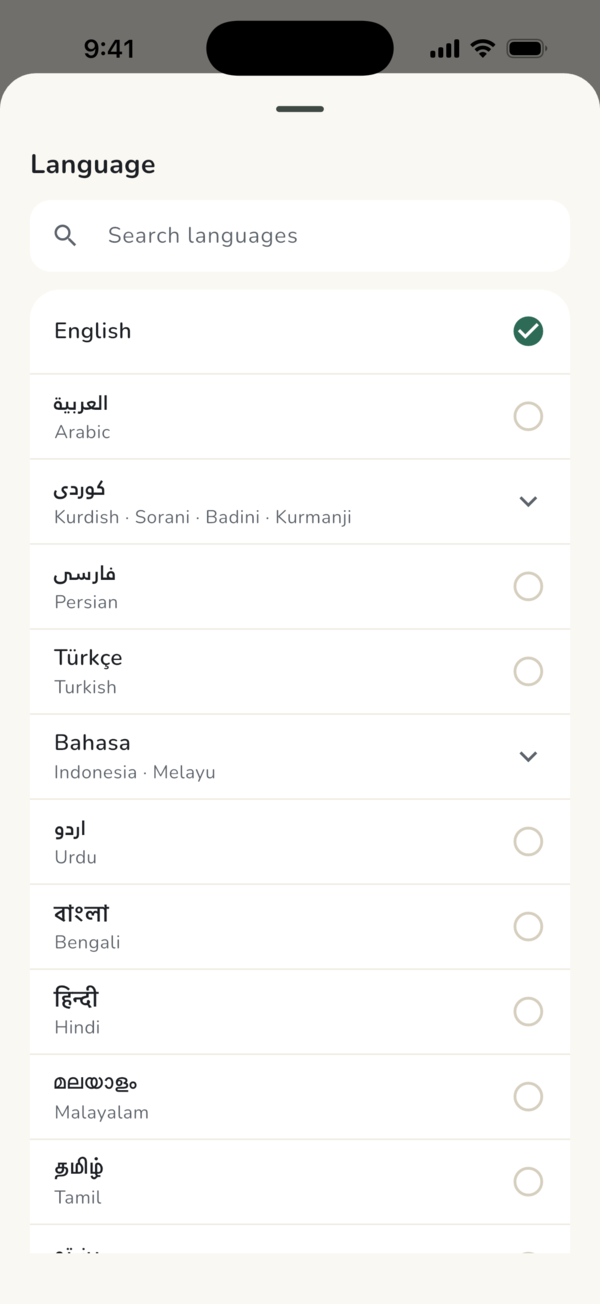
The app is available in English, Arabic and Sorani Kurdish, and in many more languages from the language picker. Arabic and Kurdish are laid out right to left. Whatever language you choose, the Quran text stays in the Madina Mushaf script.
Ayah recognition runs on your phone. Your recitation is not uploaded unless you choose to publish. Pasting a link, downloading a famous reciter and publishing need an internet connection; finding ayahs, editing and exporting do not.
Tarteel Video is free to use. Videos made with the free version carry a small moving Tarteel Video mark that keeps clear of the text, and end with a short animated card. Tarteel Video may use and share free-version videos on its own channels, crediting the reciter when known. Your videos are never sold, and any video is removed on request.
Frequently asked questions
Is Tarteel Video free?
Yes. It is free on Google Play. Free-version videos carry a small Tarteel Video mark and a short closing card.
Is Tarteel Video available on iPhone?
Not yet. It is on Google Play now. The App Store, AppGallery and desktop versions are coming soon.
Does my recitation leave my phone?
No. Ayah recognition runs on the device, and nothing is uploaded unless you choose to publish.
Can I continue a video later?
Yes. Every video you work on is saved under Your projects on the home screen, so you can open it again and carry on.